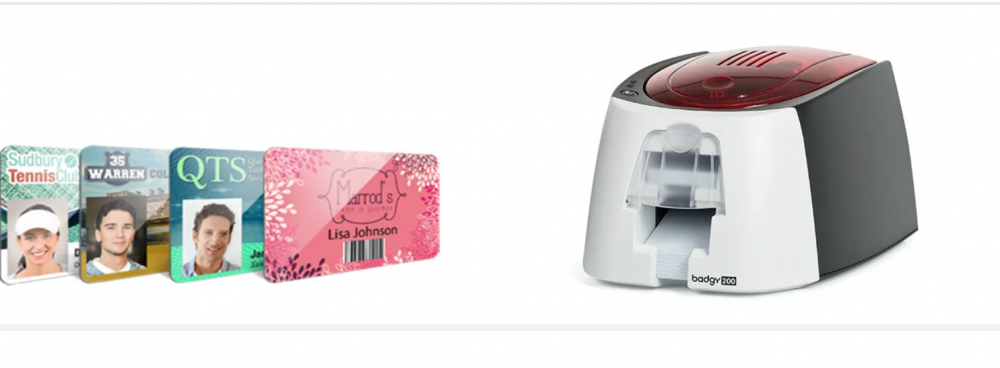
In today’s security-conscious world, having a smooth and secure way to manage identity verification is essential for businesses, schools, healthcare facilities, and even event venues. One of the most effective solutions is combining ID card printing with an access control system—giving you both a professional identification card and a functional security credential in one.
If you’re wondering how to make these two technologies work together, you’re in the right place. In this guide, we’ll walk through what you need, how integration works, and how to get the most out of your investment.
Why Integrate ID Card Printers with Access Control?
An ID card printer isn’t just for printing staff photos on plastic cards—it can also encode data that works directly with your building’s access control system. This means your staff, students, or members can use the same card to open doors, sign into systems, and verify their identity, without juggling multiple cards or keys.

The benefits of integration include:
- Improved Security – Reduce the risk of unauthorised access.
- Convenience for Users – One card for multiple functions.
- Professional Image – High-quality printed cards that reflect your brand.
- Faster Onboarding – Issue cards on the spot for new hires or visitors.
Step 1: Choose the Right ID Card Printer
Not all printers are created equal, especially if you’re planning to integrate them with access control. Look for a printer for ID card printing that supports encoding options compatible with your system.
Here’s what to consider:
- Encoding Capabilities – Make sure your printer can handle magnetic stripe, proximity card (Prox), or smart card encoding (MIFARE, DESFire, etc.), depending on your access control system.
- Print Quality – Crisp images and clear text not only look professional but also make it easier to visually verify identities.
- Print Speed & Volume – For larger organisations, speed matters. Choose a printer that can keep up with demand.
- Durability – Opt for card printers in Australia that are built to handle local environmental conditions and heavy daily use.
For example, many Australian businesses prefer printers from reputable brands like HID® or Evolis® because they offer both print quality and robust encoding support.
Step 2: Understand Your Access Control System
Before you integrate, you’ll need to know exactly how your access control system works and what type of cards it accepts.

Common formats include:
- Magnetic Stripe Cards – Affordable and simple, but less secure.
- Proximity Cards – Use radio frequency for contactless access.
- Smart Cards – Can store more data and offer stronger encryption.
Tip: Ask your security provider for the technical specifications, so you can match your ID card printer’s encoding capabilities to your system’s requirements.
Step 3: Connect Your Printer to the Access Control Database
The real magic of integration happens when your ID card printer connects directly to your access control software. This way, you can print cards and encode access data in a single step.
Here’s the general process:
- Install the Printer Drivers & Software – Ensure your printer is properly set up on your network or workstation.
- Link to Your Access Control System – Some systems have built-in integration tools, while others require middleware.
- Design Your Card Template – Include both visual elements (photo, name, role) and hidden encoded data for the access system.
- Test Encoding – Print a sample card and verify that it works with your access points.
Step 4: Set Up a Secure Issuance Process
Integration isn’t just about technology—it’s also about processes. To keep your cards secure and your data accurate:
- Restrict Printer Access – Only authorised staff should be able to print or encode cards.
- Use Secure Design Features – Holograms, watermarks, and UV printing help prevent counterfeiting.
- Log All Card Issuance – Maintain records of who received each card and when.
Step 5: Train Your Staff
Even the best equipment won’t perform well if people don’t know how to use it. Offer training for your security or HR teams so they can:
- Quickly print and encode cards for new hires.
- Replace lost or damaged cards without delays.
- Troubleshoot common printing or encoding issues.
Best Practices for Smooth Integration
To ensure a seamless experience:
- Work with Experts – A professional supplier of card printers in Australia can match you with the right hardware and help with installation.
- Standardise Your Card Layout – This improves brand consistency and speeds up the printing process.
- Plan for Future Expansion – Choose printers and systems that can grow with your needs.
Choosing the Right Partner in Australia
If you’re looking for reliable ID card printers and expert advice, choosing a local supplier makes a big difference. At Interact Card, we understand the unique requirements of Australian businesses. We provide printers, cards, and support services to help you integrate with your access control system—whether you need a compact desktop model or an industrial-grade unit.
Our team can:
- Recommend printers for your specific encoding needs.
- Assist with software integration and setup.
- Provide ongoing technical support and maintenance.
Final Thoughts
Integrating an ID card printer with your access control system is a smart move that boosts security, streamlines processes, and enhances your organisation’s professional image. By choosing the right printer, understanding your system’s requirements, and working with a trusted partner, you can issue secure, functional ID cards that your staff and visitors will appreciate.
Whether you’re starting from scratch or upgrading your current setup, now is the perfect time to explore integration. With the right planning and support, you can create a smooth, efficient ID card program that’s both secure and user-friendly.