

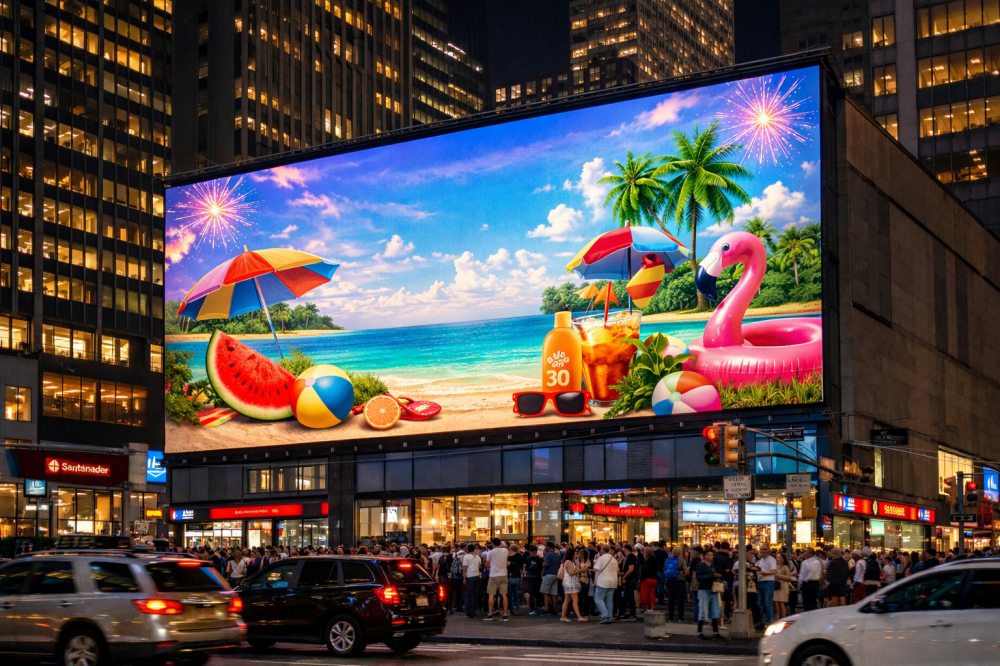
Digital signage has changed how people communicate in public places today. Large ones have become dependent on ads or public information. Take the example of towering billboards or HD information tabs, for instance. These screens are almost everywhere as they demand attention while delivering dynamic content. But there are similar challenges associated with placing sensitive electronics in the open air.
Outdoor environments with severe conditions can damage hardware components, even when manufacturers claim their products are highly durable. Your outdoor LED display screen needs to withstand extreme temperatures, heavy rainfall, and constant dust exposure, all of which occur every single day. When you discover these problems at the early stage, it helps you avoid complete system breakdowns while protecting your financial investment. Welcome to this guide that explains common system failures and the standard professional methods to resolve them.
7 Common Outdoor LED Display Screen Problems & Solutions
Think of your outdoor screen as a complex, living ecosystem. Problems rarely happen in isolation (and that is a vital point to remember). A flicker that looks like a signal glitch might actually be a power fluctuation caused by heat. A dark patch could be a data cable issue or moisture creep.

You need to understand the relationship between the protective cabinet, the internal modules, and the control system. That is the first step toward effective troubleshooting. Identifying the root cause requires you to bridge the gap between seeing a "glitch" and knowing which part of the ecosystem is failing.
1. Partial or Full Module Blackouts
You are walking past your display and notice a perfect rectangular section has gone dark. It looks like a missing puzzle piece while the rest of the content plays fine. It is a classic module blackout.
The Solution- First, check the DC power cables and the ribbon data cables for that specific section. These often wiggle loose due to structural vibrations or thermal expansion. You should also inspect the receiving card responsible for that cabinet.
Try swapping the "dark" module with a known working one from a different section if the cables are tight and the power is on. If the new module works, you know the original module's internal circuit failed. Suppose it stays dark. That problem lies deeper in the cabinet's wiring or the receiving card.
2. Persistent Flickering or Image Instability
Few things are more distracting than a screen that jitters or flashes. It makes your content unreadable and looks unprofessional.

The Solution- You need to verify the main AC power source's condition. Note that voltage fluctuations may cause the driver ICs to behave unpredictably. You also need to inspect your signal cables (whether they are CAT6 or Fiber) for physical damage or electromagnetic interference.
Finally, ensure the grounding of the entire screen structure is sufficient. Proper grounding discharges the static and electrical noise that often triggers these visual hiccups.
3. Dead Pixels & Caterpillar Lines
Dead pixels appear as tiny black dots, while "caterpillar" lines are long vertical or horizontal streaks of a single color. They stay stuck regardless of what you are trying to display.
The Solution- Identify if you have a "stuck" pixel (always on) or a "dead" one (always off). You likely have a failed Driver IC on the module's PCB for those annoying lines.
This requires professional soldering or a full module replacement to fix it properly. As a preventative measure, you should regularly run a "pixel-refresh" cycle through your control software. It helps prevent minor stuck pixels from becoming a permanent eyesore on your outdoor LED display screen.
4. Moisture Ingress & Internal Condensation
If you see hazy patches behind the mask or random "ghosting" effects after a heavy rainstorm, you are dealing with moisture. Water is the natural enemy of your screen's internal electronics.
The Solution- Immediately check the IP65 (or higher) seals on the back of your cabinets. Even a tiny gap in a gasket can let in enough humidity to cause a short circuit.
You can improve internal ventilation to help moisture evaporate more quickly. Many professionals also place silica gel desiccant packs inside the cabinets during the rainy season. It is a simple, low-tech way to add an extra layer of protection against the damp.
5. Inconsistent Brightness & Patchy Color
Sometimes a screen looks "patchy." One corner may look yellowish. Another zone may look dimmer than the rest. This thing may ruin the look of the digital signage.
The Solution- Perform a full-screen calibration using specialized light-sensor software. It rebalances the LEDs to ensure they output at the same level. You need to watch out for "LED aging." The colors might not match perfectly if you replace modules with ones from a different production batch.
Adjust your automatic brightness sensor (LDR) too. You want to make sure the screen is not overdriving itself during the day or underperforming when the sun goes down.
6. Communication & Signal Loss
A "No Signal" message or a frozen frame is a nightmare for any operator. It means the link between your media player and the LEDs has snapped.
The Solution- Start by testing the sending card in your control PC. Look for the status indicator lights. Usually, green means the signal is healthy & red indicates an error. Check the USB or Serial connection between your computer and the sending box to ensure they are communicating.
If everything looks okay, reboot your video processor. This clears the cache and forces a fresh "handshake" with the media player, which often solves the issue instantly.
7. Overheating & Automatic Shutdowns
The screen functions correctly during the morning hours, but the device begins to experience problems when the afternoon heat starts. The hardware implements this function as a thermal protection mechanism.
The Solution- Clean your intake & exhaust fans immediately. The primary reason outdoor units experience thermal failures is due to dust accumulation on their components. The integrated air conditioning units must be checked for operational status while the outdoor LED display screen is at its maximum size to determine whether the airflow paths are obstructed.
Conclusion
Most outdoor LED problems are preventable. It comes down to a mix of high-quality installation and a proactive maintenance schedule. You should not wait for something to break before checking the seals or cleaning the fans. Keeping a detailed log of error codes and performing regular visual inspections will save you thousands in repair costs over time.
A well-maintained outdoor LED display screen is a massive asset. By understanding these seven points, you ensure your display remains a vibrant, reliable part of the landscape for years to come.
FAQs
How do you fix a black area on your LED screen?
You should check the power and data cables first. Swap the module to test for failure if they are secure.
Why does your outdoor LED display flicker in the rain?
Rain often exposes poor seals. Note that moisture creates minor shorts or signal interference. Thus, you must check your IP rated gaskets immediately.
Can you replace just one dead pixel?
Technically it requires precision soldering. It is easier to replace the entire small LED module.
How often should you clean your screen fans?
You need to inspect them every three months. You might need to clean them more often in dusty or high-traffic areas.





