
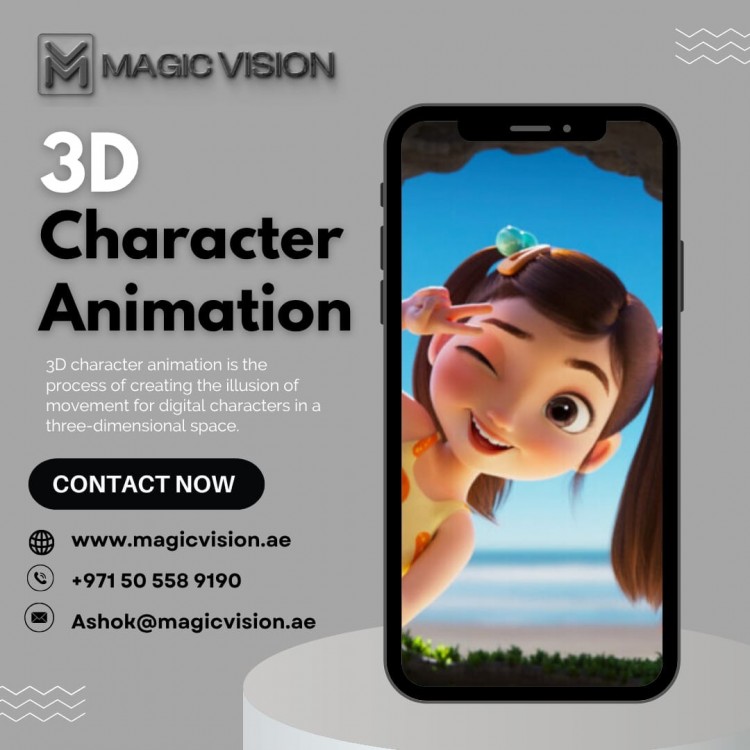
When you watch an animated movie, a game cutscene, or even a short social media video, it’s easy to forget how much work goes on behind the scenes. The characters move, talk, smile, and show emotions almost like real people. That often leads to a simple question: how does 3D character animation work?
What Is 3D Character Animation?
3D character animation is the process of creating a digital character in three dimensions and making it move like a living being. These characters can be:
-
Humans
-
Animals
-
Creatures
-
Cartoons
-
Brand mascots
They are used in movies, games, advertisements, training videos, and even mobile apps.
The Big Picture: How It All Comes Together
At its heart, 3D character animation works by:
-
Designing a character
-
Building it in 3D
-
Giving it a digital skeleton
-
Making it move frame by frame
-
Adding lighting, textures, and final polish
Each step builds on the one before it.
Step 1: Character Concept and Design
Everything starts with an idea.
Before any software is opened, artists decide:
-
What the character looks like
-
How tall or short they are
-
Their personality
-
How they move and behave
These ideas are often sketched on paper or digitally. This stage helps everyone agree on the character’s style before moving forward.
Step 2: 3D Modeling – Building the Character
Once the design is ready, the character is built in 3D software. This step is called 3D modeling.
Think of it like sculpting with digital clay. Artists shape:
-
The head
-
Body
-
Arms and legs
-
Facial features
At this stage, the character looks like a statue—it doesn’t move yet.
Step 3: Texturing – Adding Skin and Details
After modeling, the character needs color and surface details. This process is called texturing.
Textures add:
-
Skin tone
-
Clothing fabric
-
Hair color
-
Wrinkles, scars, or patterns
Without textures, the character looks gray and lifeless. With textures, it starts to feel real.
Step 4: Rigging – Giving the Character a Skeleton
Rigging is one of the most important steps in 3D character animation.
In this stage, animators create a digital skeleton inside the character. This skeleton is made of:
-
Bones
-
Joints
-
Control points
The skeleton allows the character to:
-
Walk
-
Run
-
Bend
-
Jump
-
Move facial expressions
Good rigging makes animation smooth and natural.
Step 5: Skinning – Connecting Movement to the Body
Skinning connects the character’s 3D body to its skeleton.
This step decides:
-
How the skin moves when bones move
-
How muscles bend
-
How joints behave
If skinning is done poorly, movements look stiff or unnatural. When done well, movements feel fluid and lifelike.
Step 6: Animation – Bringing the Character to Life
This is the stage most people think of when they hear “animation.”
Animators create movement by:
-
Setting key poses
-
Adjusting timing
-
Refining motion frame by frame
For example:
-
A walk cycle starts with foot placement
-
Facial animation matches speech
-
Body language shows emotion
Animation is not just movement—it’s acting. Animators think about how a character feels and express that through motion.
Step 7: Facial Animation and Expressions
Facial animation is where characters truly come alive.
Animators control:
-
Eye movement
-
Mouth shapes
-
Eyebrows
-
Smiles and frowns
This step helps convey emotions like happiness, anger, fear, or excitement. Even small facial movements can change how believable a character feels.
Step 8: Lighting – Setting the Mood
Lighting plays a huge role in how a character looks.
Lighting helps:
-
Create mood and atmosphere
-
Highlight facial features
-
Add depth and realism
Soft lighting can feel warm and friendly, while sharp lighting can feel dramatic or intense.
Step 9: Rendering – Creating the Final Images
Rendering is the process of turning all the work into final images or video.
During rendering:
-
The computer calculates light, shadows, and textures
-
Each frame is processed
-
Everything is combined into a finished scene
This step can take time, especially for high-quality animations.
Step 10: Final Touches and Editing
After rendering, the animation goes through final polishing.
This may include:
-
Editing scenes together
-
Adding sound effects
-
Syncing voice recordings
-
Adding music
These final touches make the animation feel complete and professional.
Why 3D Character Animation Takes Time
People often ask why 3D animation takes so long.
The reason is simple:
-
Each step builds on the previous one
-
Small details matter
-
Movement must feel natural
Even a few seconds of animation can take days or weeks to perfect.
Where Is 3D Character Animation Used Today?
3D character animation is everywhere:
-
Movies and TV shows
-
Video games
-
Advertising and branding
-
Educational videos
-
Social media content
-
Virtual assistants and avatars
As technology grows, its uses continue to expand.
Is 3D Character Animation Only for Big Studios?
Not anymore.
With modern tools:
-
Small studios can create high-quality animation
-
Brands can use animated mascots
-
Creators can animate characters for YouTube or Instagram
The process is still detailed, but it’s more accessible than ever.
Why People Connect with Animated Characters
Animated characters feel human, even when they’re not.
People connect because:
-
Characters show emotions
-
Movements feel real
-
Stories feel relatable
That emotional connection is what makes 3D character animation so powerful.
Final Thoughts
So, how does 3D character animation work? It works through a careful process of design, modeling, rigging, animation, and refinement. Each step adds life, personality, and emotion to a digital character.
Behind every animated character you see is a team of artists and animators who focus on one goal: making the character feel alive. When done right, you stop seeing pixels and start seeing a personality—and that’s the real magic of 3D character animation.